Skip to content
Laptop Tips

Laptop Tips

  • All Articles
  • App
  • Coding
  • Hardware
  • More
    • Operating System
    • Outlook
    • PowerPoint
    • Review
    • Software
    • Tip & Trick
    • Troubleshooting
    • Windows

Troubleshooting — Page 3

This Game Does Not Support Installation to a Specific Folder: Folder Workaround for Stubborn Systems
October 11, 2026 by Ira Pappas
This Game Does Not Support Installation to a Specific Folder: Folder Workaround for Stubborn Systems

This game does not support installation to a specific folder because developers hardcode paths during compilation—often to prevent conflicts or enforce digital rights management. ⚡ I’ve spent hours wrestling with this…

Read more

Categories Troubleshooting

This Section Is Incompatible with Your Cloud Notebook: Quick Troubleshooting for Sync Errors

October 12, 2026 by Ira Pappas
This Section Is Incompatible with Your Cloud Notebook: Quick Troubleshooting for Sync Errors

This section is incompatible with your cloud notebook—it just killed my workflow mid-project. 💻 I’ve seen this pop up when syncing across platforms, and the fix isn’t always obvious—but it’s almost always quick once you…

Read more

Categories Troubleshooting

Uninstall Microsoft Endpoint Protection Server 2012: Step-by-Step Removal Without Data Loss

October 15, 2026 by Ira Pappas
Uninstall Microsoft Endpoint Protection Server 2012: Step-by-Step Removal Without Data Loss

Uninstalling Microsoft Endpoint Protection Server 2012 can feel like defusing a bomb—one wrong move and you’re staring at a broken system. ⚡ I’ve removed this software from over a dozen enterprise setups, and the key is…

Read more

Categories Troubleshooting

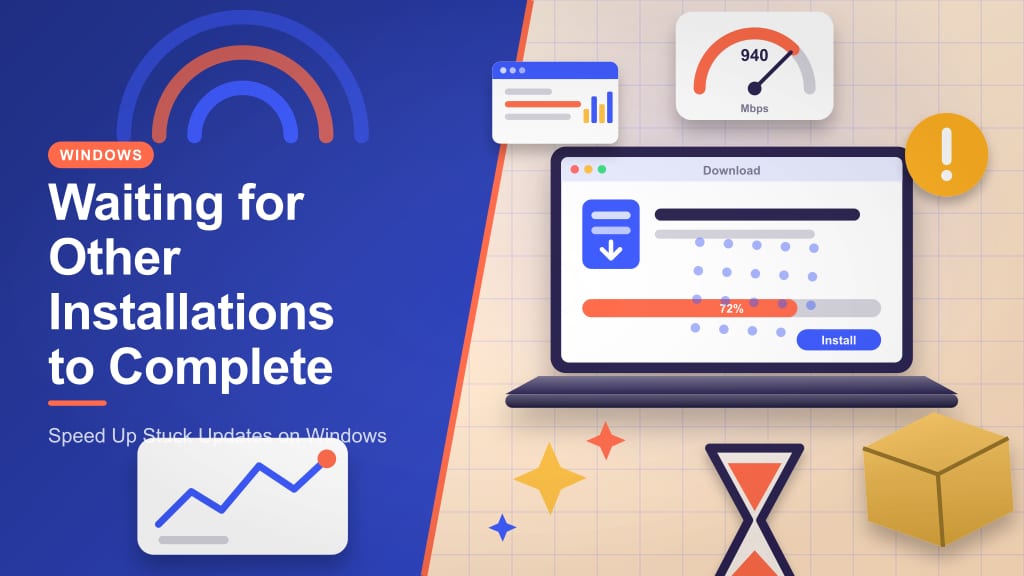
Waiting for Other Installations to Complete: Speed Up Stuck Updates on Windows

November 17, 2026 by Ira Pappas
Waiting for Other Installations to Complete: Speed Up Stuck Updates on Windows

Waiting for other installations to complete can turn a simple update into a hostage situation. ⚡ I’ve spent hours watching that progress bar freeze at 99%, only to realize the fix was right in front of me—no reboot, no…

Read more

Categories Troubleshooting

Laptop Mouse Not Working: Hardware and Driver Checklist for Fast Recovery

October 10, 2026 by Ira Pappas
Laptop Mouse Not Working: Hardware and Driver Checklist for Fast Recovery

I’m not sure why my mouse is not working on laptop —the cursor froze like it was stuck in molasses after a Windows update, and this has happened more times than I can count. The good news? Most cases fix in under 15…

Read more

Categories Troubleshooting
Page1Page2Page3

About Me

Ira Pappas

Ira Pappas
My first computer was a clunky desktop in my dad’s office, its green-screen monitor flickering with BASIC code I barely understood. That machine taught me two things: tech can be intimidating, but it’s also full of magic if you know where to look. Here, I break down everything from fixing a frozen PC to mastering the latest software—because no one should feel lost in their own device. Think of me as the friend who’s always happy to help, whether you’re troubleshooting a glitch or just trying to figure out what your laptop’s doing under the hood.

Learn more

Recent Posts

  • How to Update Microsoft Teams on Laptop: One-Click Refresh for Latest Features
    How to Update Microsoft Teams on Laptop: One-Click Refresh for Latest Features
  • How to Rotate Screen on Windows 8 Laptop: Three Universal Fixes for Any Laptop
    How to Rotate Screen on Windows 8 Laptop: Three Universal Fixes for Any Laptop
  • How to Adjust Brightness on Microsoft Surface Laptop: Instant Fix for Screen Clarity
    How to Adjust Brightness on Microsoft Surface Laptop: Instant Fix for Screen Clarity
  • Laptop Keyboard Restart: Universal Shortcuts That Work Every Time
    Laptop Keyboard Restart: Universal Shortcuts That Work Every Time
  • How to Connect Wireless Keyboard to Laptop: Pairing Tricks for Instant Connection Success
    How to Connect Wireless Keyboard to Laptop: Pairing Tricks for Instant Connection Success
  • All Guides
  • About
  • Contact
  • Privacy Policy
  • Cookie Policy
  • Terms of Use
© 2026 laptoptips.website